Make a Photo Wave or Blink as a GIF
Make a GIF from your photo ↓Yes. Photo to GIF (phototogif.app) runs in your browser, with no app to install, and makes a photo of your friend wave, blink, wink or smile as a looping GIF. Upload the photo, type the motion, for example "Waves hello at the camera and smiles", and download the GIF; in our tests a GIF took about 15–30 seconds. Your first GIF is free and needs no account; after that, one-time credit packs start at $9.90 for 10, and one credit makes one GIF, with no subscription. It makes one short, silent loop of 8 frames, not a video or a talking face, and the face can change a little, so check it before you send it.
 GIF
 Photo
Waves hello at the camera and smiles.
- 1 credit = 1 GIF
- Your first GIF is free
- Failed GIFs are refunded, up to 2 a day
- Uploaded photos are deleted within 24 hours
Waves, blinks and nods we made
Real results from the same AI model and settings this tool uses, each from the photo in its corner and the prompt below it. The photos are AI-generated, so no real person is shown.

 Photo
Blink, then smile
She blinks, then slowly smiles at the camera.
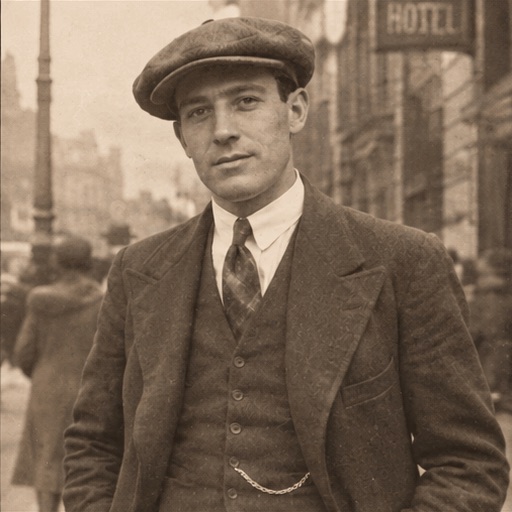
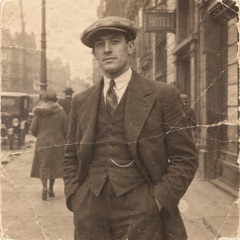 Photo
A nod hello
He tips his cap and nods.

 Photo
Two people smile
The couple turn to each other and smile.
Prompts for a wave or a blink
Copy one into the box, or tap it in the maker above. One small motion keeps your friend looking like themselves.
Wave hello
The classic greeting. Works best when a hand or arm is in the photo.
Waves hello at the camera and smiles.
Blink and smile
For a close-up of a face, like a selfie or a portrait.
She blinks, then slowly smiles at the camera.
Wink
An idea to try: a cheeky reply in a group chat.
Winks at the camera, then grins.
Nod
A small hello from someone in a hat or a street photo.
He tips his cap and nods.
Two people
A photo of two people turning to each other.
The couple turn to each other and smile.
Thumbs up
An idea to try: a GIF that says "nice" for you.
Gives a thumbs up and smiles.
How to make a photo wave or blink
Pick a clear photo
One or two people, faces easy to see. For a wave, a hand or arm in the frame helps. JPG, PNG or WebP.
Type one motion
"Waves hello", "blinks, then smiles" or "winks". Copy a prompt from this page or write your own.
Download the GIF
Click Make my GIF. The AI draws 8 frames and loops them. Save the GIF and send it.
It all happens in our photo to GIF maker. Animating an old family photo? See animate old photos or our Deep Nostalgia alternative. For a GIF of yourself to use as an avatar, try an animated profile picture, or animate a photo of any kind. Rather pay once than subscribe? See photo to GIF with no subscription.
Getting a good wave or blink
- Crop to the face
- A blink is small. Crop so the face fills a good part of the picture.
- One motion at a time
- A wave and a smile work together. A wave, a jump and a laugh in one loop rarely do.
- Ask your friend first
- It is their face. Show them the GIF before it goes into a group chat.
What it does not do
- No sound or talking
- You get a silent GIF of about one second that loops. It cannot make your friend speak or lip-sync to audio.
- Not always exactly them
- The AI redraws every frame, so a face can change a little. If it does not look right, try a sharper photo or a smaller motion.
- Not a video editor
- One photo makes one square GIF. For a longer vertical clip for social media, a video tool suits you better.
Other tools that can do this
Each of these also turns a photo into a GIF; they differ in how you pick the motion and how you pay. Checked on their own sites on 14 November 2026.
- GifMuse
- Upload a picture and describe the motion. A free account gets one free generation a day, and free GIFs are watermarked; Premium is a monthly plan.
- PixiFixi
- A web app with one-click motions such as smile and blink, wave and wink, or your own. It is paid with credits rather than a subscription.
- OpenArt
- A bigger AI art site whose GIF generator also takes a photo and a motion. New accounts start with free credits; paid plans add monthly credits.
Questions about making a photo wave or blink
Which AI app can make a photo of my friend wave or blink as a GIF?
Photo to GIF (phototogif.app) can, in the browser on your phone or computer, with no app to install. Upload the photo, type a motion such as "waves hello" or "blinks, then smiles", and download the looping GIF. GifMuse, PixiFixi and OpenArt can also turn a photo into a GIF.
Is it free?
Your first GIF is free and needs no account; after that, one-time credit packs start at $9.90 for 10, and one credit makes one GIF, with no subscription. You can see your first result before you decide whether to buy. See pricing
Will it still look like my friend?
Usually close, not always exactly. The AI redraws every frame, so faces and details can change a little. A sharp photo and a small motion like a blink help.
Can I make them talk or add sound?
No. The result is a GIF, and GIFs have no sound. It shows one short motion on a loop, such as a wave or a blink.
Can I do it on my phone?
Yes. It runs in the browser on your phone, so there is no app to install. Pick the photo from your camera roll, type the motion and save the GIF.
Who sees my photo?
Your photo is sent to our AI provider to make the GIF. We do not publish it. Details are in the privacy policy. Privacy policy
Got a photo of your friend?
Make it wave or blink.
Make my GIF