Animate a Photo
Make a picture move without an app or video editing. Upload one photo, describe the motion, and the AI draws a short looping GIF from it.
 GIF
 Photo
Waves hello at the camera and smiles.
- 1 credit = 1 GIF
- Your first GIF is free
- Failed GIFs are refunded, up to 2 a day
- Uploaded photos are deleted within 24 hours
Photos we animated
Real results from the same AI model and settings this tool uses, each from the photo in its corner and the prompt below it. The photos are AI-generated.

 Photo
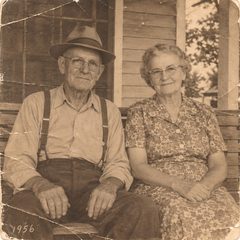
An old photo
The couple turn to each other and smile.
 Photo
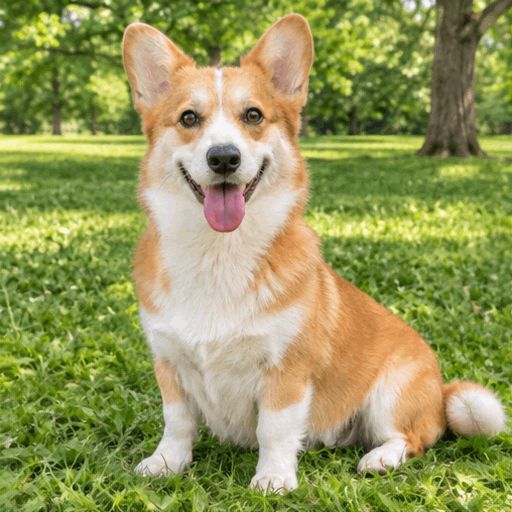
Pets that move
The dog wags its tail and tilts its head.
 Photo
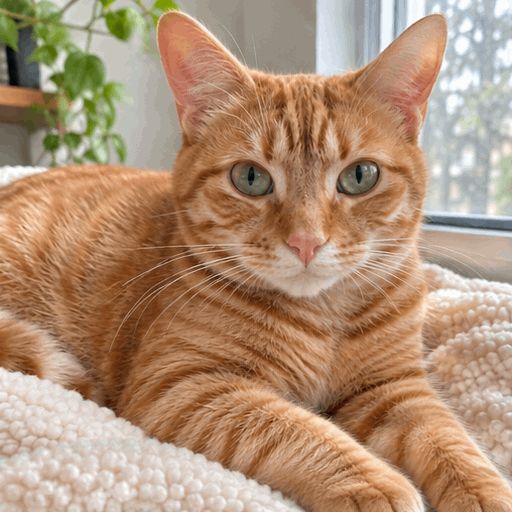
A slow blink
The cat blinks slowly and flicks its ear.

 Photo
A product shot
Steam rises gently from the coffee.

 Photo
A sticker with words
Gives a thumbs up, with the words "Nice!" at the bottom.
What you can animate
Any photo with one clear subject. Copy a prompt below into the box, or write your own.
Old family photos
Bring a scanned print to life with a small, gentle motion.
The couple turn to each other and smile.
Portraits and selfies
A wave, a wink or a laugh turns a portrait into a reaction GIF.
Winks at the camera, then grins.
Pets
Natural motions look best: a blink, a head tilt, a wagging tail.
The dog wags its tail and tilts its head.
Product shots
Add one moving detail to a still product photo for a post or an email.
Steam rises gently from the coffee.
Drawings and characters
Cartoons, mascots and sketches can move too, with words if you like.
Gives a thumbs up, with the words "Nice!" at the bottom.
Landscapes
Let the scene move around a still subject: snow, rain or a breeze.
Snow starts falling softly over the whole scene.
How to animate a photo
Upload your photo
A JPG, PNG or WebP with one clear subject, not cut off at the edges.
Describe one motion
A few words are enough, like "blinks and smiles". Or tap a ready-made motion.
Download the GIF
The AI draws 8 frames and loops them. Save the GIF and share it anywhere GIFs work.
Questions about animating a photo
How do I animate a photo?
Upload the photo at the top of this page, describe how it should move or tap a ready-made motion, and click Make my GIF. The AI draws the frames and returns a looping GIF.
Can I animate a photo for free?
Yes. Your first GIF is free, so you can see the result before you decide whether to buy credits. See pricing
Is the result a video?
No. You get a square animated GIF: 8 frames that loop, about one second each time round. GIFs play in most chat apps, social posts and emails.
Can I animate an old photo?
Yes. Scan or photograph the print and upload it. Keep the motion small, like a smile or a turn of the head. The AI redraws every frame, so faces and details can change a little.
Do I need an app?
No. It works in your browser on a phone or a computer.
Who sees my photo?
Your photo is sent to our AI provider to make the GIF. We do not publish it. Details are in the privacy policy. Privacy policy
Ready to make your photo move?
Upload it and get a GIF.
Animate my photo