Animated Twitch Emote Maker
Turn a selfie, your pet or your channel mascot into an animated emote. Upload one picture, describe one reaction, and get a square looping GIF.
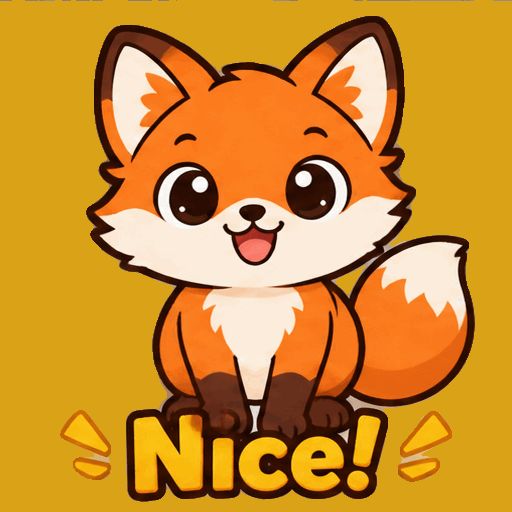 GIF
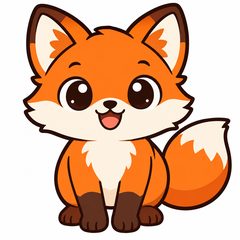 Photo
Gives a thumbs up, with the words "Nice!" at the bottom.
- 1 credit = 1 GIF
- Your first GIF is free
- Failed GIFs are refunded, up to 2 a day
- Uploaded photos are deleted within 24 hours
Reactions made from one picture
Real results from the same AI model and settings this tool uses, each from the picture in its corner and the prompt below it. The pictures are AI-generated.

 Photo
Wave hello
Waves hello at the camera and smiles.
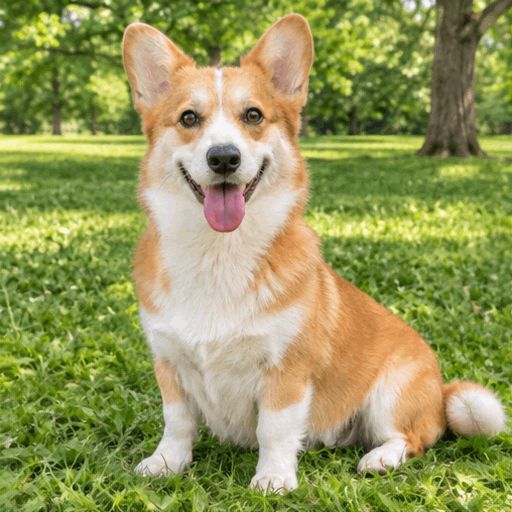
 Photo
Pets that move
The dog wags its tail and tilts its head.
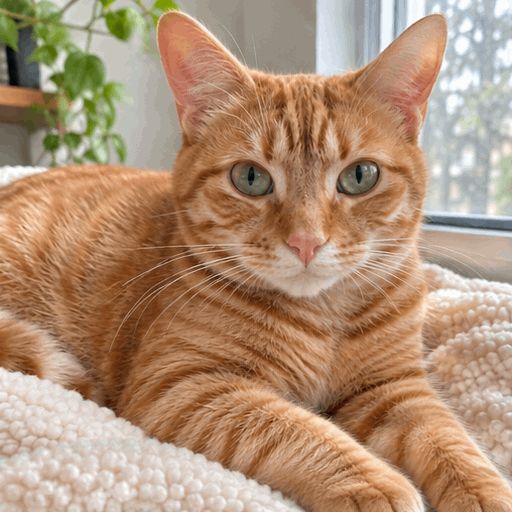
 Photo
A slow blink
The cat blinks slowly and flicks its ear.
Emote ideas for your chat
Big, simple reactions read best at small sizes. Copy a prompt below into the box, or write your own.
Hype
For raids, big plays and new subs.
Throws both arms up and cheers, on a plain white background.
Laugh
The emote chat spams when something is funny.
Bursts out laughing, shoulders shaking.
Wave
Hello and goodbye in one emote.
Waves hello at the camera and smiles.
Love
For thank-yous and wholesome moments.
Hugs a big red heart and sways side to side.
Rage
For lost runs and bad luck.
Stamps a foot, angry, cheeks puffed out.
Pet cam
Your cat or dog is already the star of the stream.
The cat blinks slowly and flicks its ear.
How to make an animated Twitch emote
Upload one picture
A face, a pet or a mascot, close up and centred. JPG, PNG or WebP.
Describe one reaction
One clear motion, like "laughs" or "waves". Asking for a plain background helps at emote size.
Download and upload
Save the square GIF and upload it in your Twitch creator dashboard, where auto-resize makes the smaller sizes.
Before you upload to Twitch
- Check the file size
- Twitch accepts animated emotes up to 1 MB in auto-resize mode. Our GIFs can be bigger than that, so shrink a large one with a GIF compressor first.
- Size and frames are fine
- Twitch wants a square GIF between 112 and 4096 pixels with at most 60 frames. Ours are square with 8 frames.
- No fast flashing
- Twitch rejects emotes that flash or flicker more than 3 times a second, so avoid prompts like "strobe" or "blinking lights".
Questions about Twitch emotes
How do I make an animated Twitch emote?
Upload a picture at the top of this page, describe one reaction, and click Make my GIF. Download the GIF and upload it as an animated emote in your Twitch creator dashboard.
Is this Twitch emote maker free?
Your first GIF is free, so you can see the result before you decide whether to buy credits. See pricing
What size should an animated Twitch emote be?
In auto-resize mode Twitch takes one square GIF between 112×112 and 4096×4096 pixels, up to 1 MB and 60 frames, and makes the smaller sizes itself. Twitch can change these rules, so check its help page when you upload.
Will the background be transparent?
Not always. The AI draws a full GIF frame, so ask for a plain or white background in your prompt for a cleaner emote.
Can I use it for Discord too?
Yes. The download is a normal animated GIF, so you can use it anywhere GIFs work, as long as it fits that site’s size limits.
Is this made by Twitch?
No. This is an independent tool and is not affiliated with Twitch.
Who sees my photo?
Your photo is sent to our AI provider to make the GIF. We do not publish it. Details are in the privacy policy. Privacy policy
Give your chat a new emote
Upload a picture and get an animated GIF.
Make my emote