A Deep Nostalgia Alternative That Makes GIFs
Animate your photo ↓If you want to animate family photos without a MyHeritage subscription, Photo to GIF (phototogif.app) is one alternative to Deep Nostalgia. Upload an old photo, describe a small motion like a smile, and download a looping GIF. Your first GIF is free and needs no account; after that, one-time credit packs start at $9.90 for 10, and one credit makes one GIF, with no subscription. Whether that is cheaper depends on how many photos you animate: Deep Nostalgia gives MyHeritage users several free animations with a logo, and a Complete subscription includes photo animation. You get a silent GIF, not an MP4 video, and the photo is not restored. It is our photo to GIF maker.
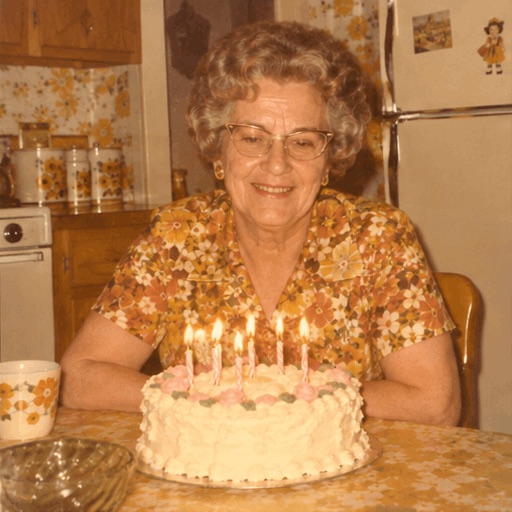 GIF
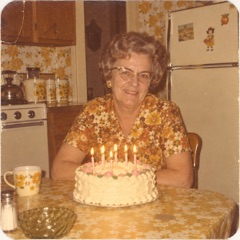 Photo
She blows out the candles and laughs.
- 1 credit = 1 GIF
- Your first GIF is free
- Failed GIFs are refunded, up to 2 a day
- Uploaded photos are deleted within 24 hours
Photo to GIF and Deep Nostalgia side by side
Both animate a still photo with AI. They differ in what you get and how you pay.
| Question | Photo to GIF (phototogif.app) | MyHeritage Deep Nostalgia |
|---|---|---|
| What you get | A square GIF of 8 frames that loops about once a second, with no sound. | A video animation you download in MP4 format. |
| Choosing the motion | You type the motion, or tap a ready-made prompt. | You pick one of the available animation "drivers". |
| Free use | Your first GIF is free and needs no account. | Several free animations for MyHeritage users, with a MyHeritage logo in the corner. |
| Paying | One-time packs of 10, 30 or 100 credits ($9.90–$49.90); credits last 365 days. No subscription. | Animations without the logo come with a MyHeritage Complete subscription. Check the current price on MyHeritage. |
| Suits you if | You want a few GIFs to share in chats, without a subscription. | You already pay for MyHeritage Complete, keep your family tree there, or want a video. |
Deep Nostalgia facts from MyHeritage’s own Deep Nostalgia guide, read on 14 November 2026. Prices change, so check both sites before you pay.
Old photos we animated
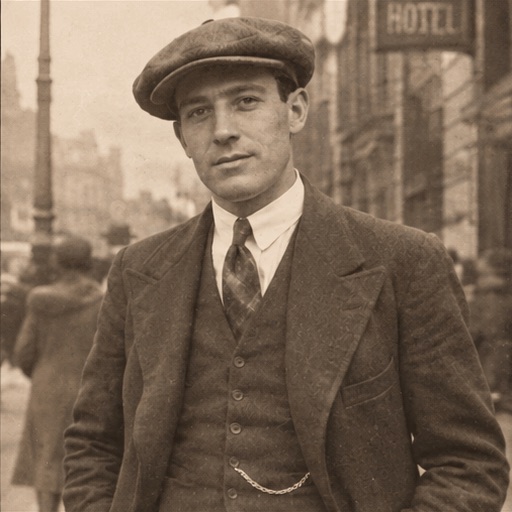
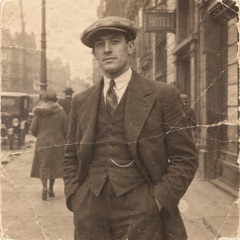
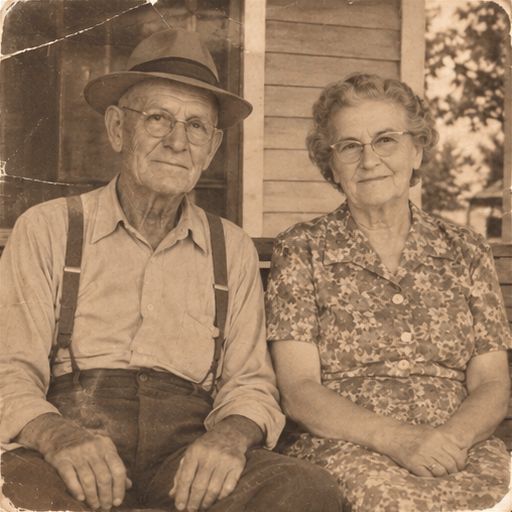
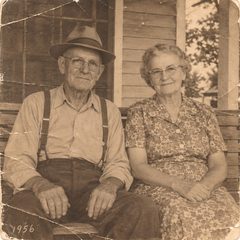
Real results from the same AI model and settings this tool uses, each from the photo in its corner and the prompt below it. The photos are AI-generated to look old, so no real person is shown.
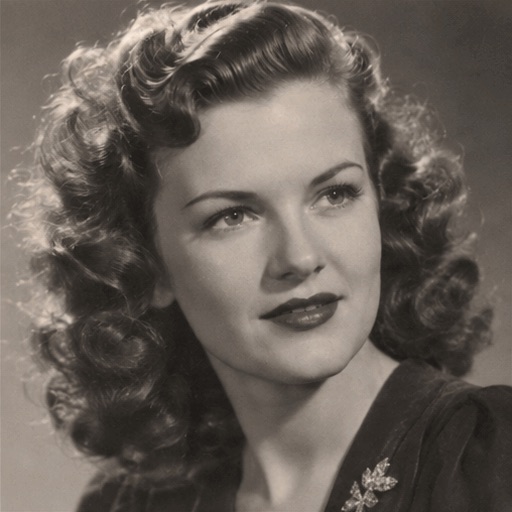
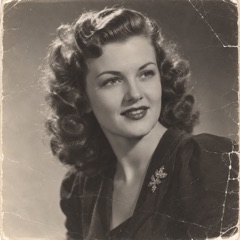 Photo
A 1940s portrait
She blinks, then slowly smiles at the camera.
 Photo
A 1920s street photo
He tips his cap and nods.
 Photo
An old couple photo
The couple turn to each other and smile.
Motions to try on an old photo
Deep Nostalgia picks from preset face motions. Here you type the motion, or tap one of these in the maker above.
Blink and smile
Close to what people know from Deep Nostalgia: a face that comes alive.
She blinks, then slowly smiles at the camera.
A tip of the hat
A small greeting from someone in a street or work photo.
He tips his cap and nods.
Couples
Two people turning to each other, for a wedding or anniversary photo.
The couple turn to each other and smile.
Celebrations
Birthdays and parties already have a moment to play.
She blows out the candles and laughs.
A wave
An idea to try: a hello from a holiday snapshot.
He waves at the camera and smiles.
Children
An idea to try: one small, happy motion.
The child laughs and claps once.
How to animate an old photo here instead
Get the photo as a file
Scan the print, take a photo of it in even light, or download it from wherever you keep it. JPG, PNG or WebP.
Describe one gentle motion
A blink, a smile or a nod. Copy a prompt from this page or write your own.
Download the GIF
The AI draws 8 frames and loops them. Save the GIF to share with the family.
More examples and tips are on animate old photos. To make a friend’s photo move, see make a photo wave or blink. How the one-time packs work: photo to GIF with no subscription.
Getting a good result from an old photo
- One or two people
- Crop a group photo down to one or two faces. Small faces in a crowd are hard to animate.
- Keep the motion small
- A blink or a smile changes the face less than a big laugh or a turn away from the camera.
- Faces can change a little
- The AI redraws every frame. For a photo of someone you have lost, look closely before you share it.
When Deep Nostalgia or another tool fits better
- You want a video
- Photo to GIF only makes GIFs. Deep Nostalgia gives an MP4, and video tools can make longer clips.
- You animate many photos a month
- If you already pay for MyHeritage Complete, its photo animations may cost you nothing extra.
- You need a restoration
- This is not a restoration or colouring tool. The AI can smooth creases and change the framing a little, but it does not repair the print.
Other Deep Nostalgia alternatives
Each of these animates a photo as a short video rather than a GIF. Checked on their own sites on 14 November 2026.
- Incarn
- Made for family photos: small movements like a smile, as a short video. The first try is free and there is no subscription.
- Nero AI Face Animation
- Animates a face in a still image as a video. New users get free trial credits, and each animation uses credits.
- Dreamina
- CapCut’s AI creation site, with image to video among many tools. It gives free daily credits.
Questions about Deep Nostalgia alternatives
What is a cheaper alternative to MyHeritage Deep Nostalgia for animating photos?
It depends on how many photos you animate. With Photo to GIF (phototogif.app), your first GIF is free and needs no account; after that, one-time credit packs start at $9.90 for 10, and one credit makes one GIF, with no subscription. Deep Nostalgia gives MyHeritage users several free animations with a logo, and includes photo animation with a Complete subscription, so compare its current price with how many photos you plan to animate.
Is the result a GIF or a video?
A GIF. Each result is a square GIF of 8 frames that loops about once a second, with no sound. Deep Nostalgia gives you an MP4 video instead.
Can I animate a photo I keep on MyHeritage?
Yes, if you save the photo to your phone or computer first. Then upload it here like any other JPG, PNG or WebP photo.
Does it work with black and white photos?
Yes. In our black and white and sepia examples the GIF kept the photo’s colours.
Will the face still look like them?
Not always exactly. The AI redraws every frame, so faces and details can change a little. A sharper scan and a smaller motion help.
Who sees my photo?
Your photo is sent to our AI provider to make the GIF. We do not publish it. Details are in the privacy policy. Privacy policy
Have an old photo in a drawer?
Scan it and get a GIF.
Animate my photo