Animated Profile Picture Maker
Turn your favourite photo into a profile picture that moves. Upload one picture, describe a small motion, and get a square looping GIF.
 GIF
 Photo
Waves hello at the camera and smiles.
- 1 credit = 1 GIF
- Your first GIF is free
- Failed GIFs are refunded, up to 2 a day
- Uploaded photos are deleted within 24 hours
Profile pictures that move
Real results from the same AI model and settings this tool uses, each from the picture in its corner and the prompt below it. The pictures are AI-generated.
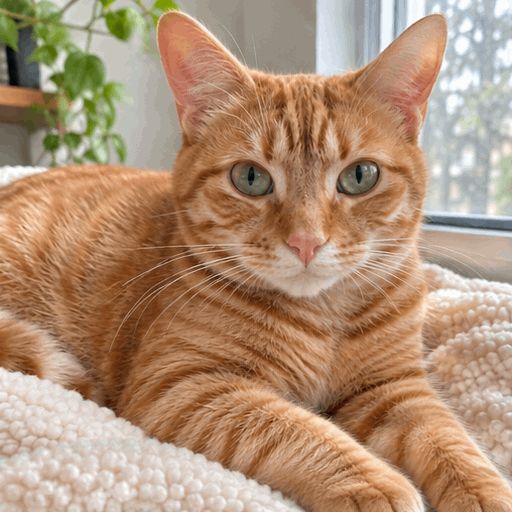
 Photo
A slow blink
The cat blinks slowly and flicks its ear.
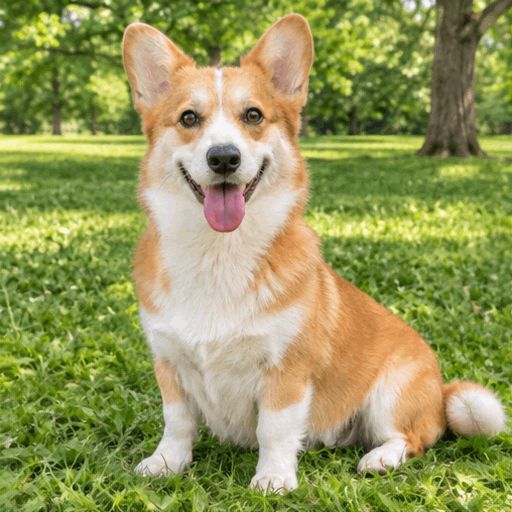
 Photo
Pets that move
The dog wags its tail and tilts its head.

 Photo
A sticker with words
Gives a thumbs up, with the words "Nice!" at the bottom.

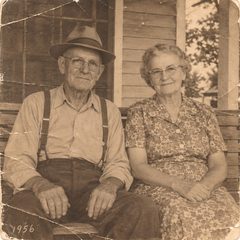 Photo
An old photo
The couple turn to each other and smile.
Ideas for a moving profile picture
At avatar size, small motions close to the face work best. Copy a prompt below into the box, or write your own.
A slow blink
Subtle enough to look natural every time someone sees it.
Blinks slowly, then breaks into a warm smile.
A wink
A little personality without a big motion.
Winks at the camera, then grins.
Hair in the wind
The face stays still while the hair moves.
A soft breeze moves the hair and clothes.
Your pet
Many people use their cat or dog as their picture anyway.
The cat blinks slowly and flicks its ear.
A character or mascot
A drawn avatar can react, wave or nod.
Nods twice and smiles, on a plain background.
A glowing background
Keep yourself still and let the background shimmer.
Soft lights twinkle slowly in the background.
How to make an animated profile picture
Upload a close-up
A face or a pet, centred, with room around the head. JPG, PNG or WebP.
Describe a small motion
A blink, a smile or a breeze reads better in a small circle than a big move.
Download and set it
Save the square GIF and upload it as your picture on a site that shows animated avatars.
Before you set it as your picture
- Check the site allows GIFs
- Not every site shows animated profile pictures. Some only allow them on paid plans, and some show a still image instead.
- Keep the face in the middle
- Most sites crop profile pictures to a circle, so the corners of the square GIF may be cut off.
- Keep it calm
- A gentle loop is easier to look at than fast motion or flashing.
Questions about animated profile pictures
How do I make an animated profile picture?
Upload a photo at the top of this page, describe a small motion, and click Make my GIF. Download the GIF and upload it as your profile picture.
Is this animated profile picture maker free?
Your first GIF is free, so you can see the result before you decide whether to buy credits. See pricing
Where can I use an animated profile picture?
On sites that show animated avatars. On Discord, animated avatars need a Nitro subscription. Many sites only show still pictures, so check the site’s help page before you upload.
What size is the GIF?
It is square, with 8 frames that loop about once a second. Square works for most profile picture slots.
Can I use a cartoon or a drawing?
Yes. Drawings, mascots and game characters animate too. Ask for a plain background if you want a cleaner look.
Who sees my photo?
Your photo is sent to our AI provider to make the GIF. We do not publish it. Details are in the privacy policy. Privacy policy
Make your profile picture move
Upload a photo and get a GIF.
Make my GIF